Hackers Compromise Ethersphere's bee-js and Swarm Desktop to Deliver Wallet-Stealing Malware
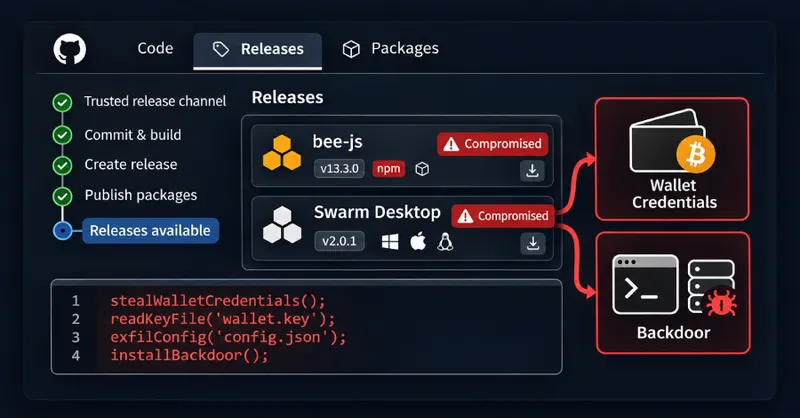
Attackers compromised Ethersphere's release automation to publish malicious versions of bee-js 13.3.0 and Swarm Desktop 0.56.2, designed to steal wallet keys and install backdoors.
The malicious versions of bee-js and Swarm Desktop were designed to download and run code that steals the wallet keys Swarm Desktop keeps for its node, along with the stored password that unlocks it. The code also installs a backdoor on Windows, macOS, and Linux machines.
Swarm Desktop 0.56.2 appeared on GitHub at about 00:36 UTC and was withdrawn about 8.5 hours later. The bee-js package, version 13.3.0, was the latest version on npm for about 75 minutes. Neither release has had confirmed fund thefts reported at the time of writing.
Malicious Code Details
Both releases contain the same loader that downloads additional code from api.frameworkmetrics[.]xyz and executes it with the user's permissions. The downloaded code searches for config.yaml and swarm.key files in Swarm Desktop's data folder and sends them to the attackers' server.
The key file is an encrypted Ethereum keystore, but Swarm Desktop keeps its password in plain text in config.yaml. With both files, the attackers can take the node wallet's xDAI and xBZZ tokens, its chequebook funds, and its stake.
The malware installs different backdoors depending on the operating system: a Go remote shell called evjawbreaker on Linux and macOS, and a ScreenConnect remote-access client on Windows. On Windows, the code attempts to gain administrator rights through a known User Account Control bypass.
Attack Method
The attackers used the bee-worker account, which Ethersphere uses for automated releases. For bee-js, they published a GitHub release that triggered the project's npm publishing workflow without approval. For Swarm Desktop, they manually started a build workflow that had access to the project's signing certificates.
The maintainers have since made changes requiring approval for the app's signing jobs and restricting them to the main branch. The exact method of credential theft remained unclear at the time of writing.
User Response
Users who installed bee-js 13.3.0 or Swarm Desktop 0.56.2 should treat their systems as compromised. For bee-js, search for the package in lockfiles and caches, pin version 13.2.0, and rotate all credentials the installing user could access.
Swarm Desktop users should check their log files for version 0.56.2, install the clean 0.56.3 update (manually on Linux), and move their node's funds to a new key from a clean machine. All users should remove the backdoor components from their systems, as simply updating or removing the app doesn't eliminate them.
Related


